Bangladesh Railway PNR Status Check — How to Verify Your Ticket and Booking
If you are searching for a Bangladesh Railway PNR Status Check, you are not alone. Many passengers use the term “PNR status” because they are familiar with the Indian Railways system. However, Bangladesh Railway follows a different approach. Instead of providing a public PNR lookup page, it keeps your booking details securely inside your account on the official e-ticket website and the Rail Sheba app. Once you sign in, you can view your Purchase History, check your booking status, download your ticket again if needed, and confirm that your reservation is valid. In this guide, you’ll learn the easiest and safest way to verify your Bangladesh Railway booking before your journey.
If you have not booked your journey yet, you can read our complete Bangladesh Railway eTicket Login guide before purchasing your ticket.
If you are looking for more train travel information, schedules, ticket booking guides, and the latest railway updates, you can also explore our Bangladesh Railway home page, where all helpful resources are available in one place.
Bangladesh Railway PNR Status Check – Quick Facts
Official Term: “Purchase History” and “Ticket Verification” — not PNR
Where to Check: Your account dashboard on eticket.railway.gov.bd, or the Rail Sheba app
What You Need: Your registered mobile number and password to log in
Ticket Identifier: Each ticket has a unique reference shown in your purchase history, the confirmation SMS, and the emailOfficial Verification Tool: eticket.railway.gov.bd/verify-ticket — confirms whether a specific ticket is genuine
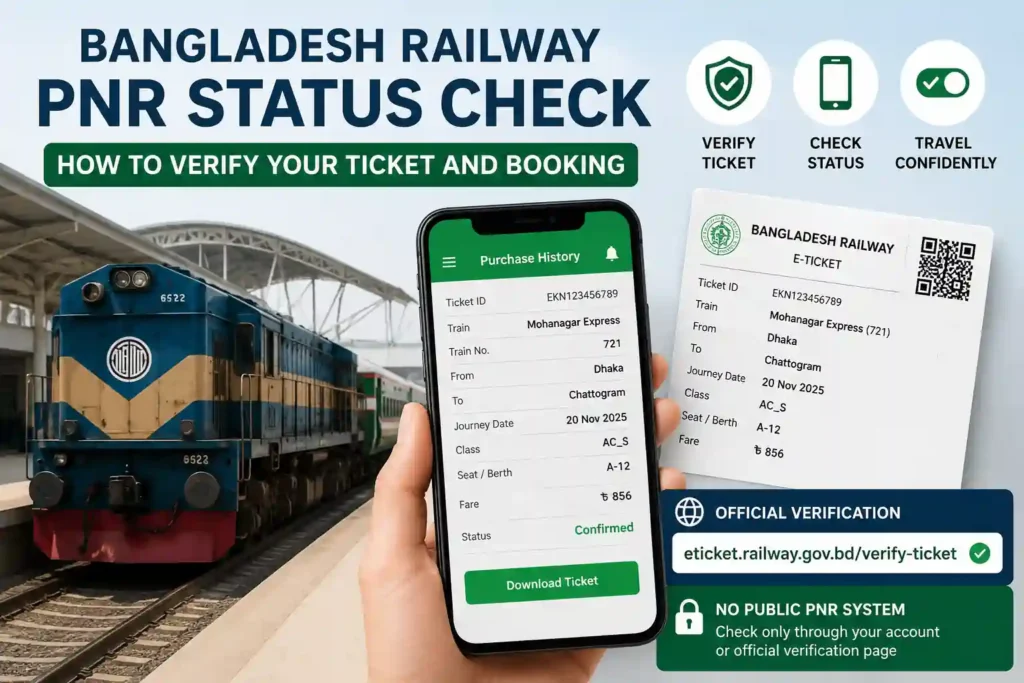
Why There Is No Separate PNR Number on Bangladesh Railway
PNR stands for Passenger Name Record, a concept that originated in airline reservation systems and was later adopted by Indian Railways as a standalone, publicly searchable status code. Bangladesh Railway’s e-ticket does include its own booking reference, and you will sometimes hear staff on the railway helpline use the word PNR when asking for it. The difference is in how you check it: there is no public page where a stranger can type in that number and see your seat status. The reference is only meaningfully visible inside your own logged-in account, on your purchase history screen, alongside the rest of your booking details.
What this means practically is that the equivalent of checking your PNR status here is logging into your account and looking at your purchase history, where every ticket you have ever bought through the portal is listed with its current status. If a third-party site offers a standalone “enter your Bangladesh Railway PNR here” lookup tool the way Indian Railways sites do, treat that with caution — there is no official equivalent, and entering personal booking details into an unofficial checker is a privacy risk worth avoiding.
How to Check Your Booking Status — Step by Step
There are two reliable ways to confirm a booking is valid: through your account’s purchase history, or through the official ticket verification page if you only have the ticket details and not account access. Here is both:
Method 1 — Purchase History (Your Account)
For most passengers, the Bangladesh Railway PNR Status Check is completed through the Purchase History section. This is the official place where you can view your booking details, download your e-ticket again, and confirm that your reservation is active before travelling.
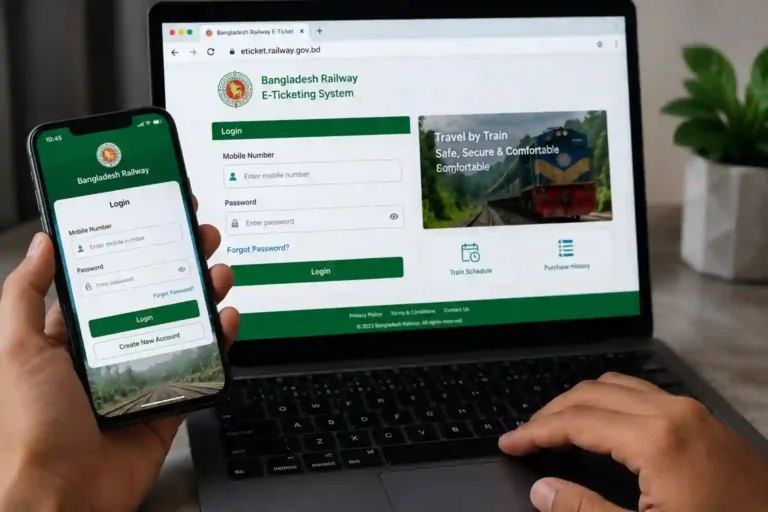
Go to the official Bangladesh Railway e-ticket portal and sign in using your registered mobile number and password.
Use your registered mobile number and password. If you booked through the Rail Sheba app, the same login credentials work on both platforms — they share one account system.
Open your account dashboard
Once logged in, look for a menu option labelled Purchase History or My Tickets. This lists every booking made on your account, most recent first.
Select the specific journey
Click on the relevant ticket to see full details — train name and number, journey date, seat and coach, fare paid, and current status (confirmed, used, or cancelled).
Download or view your e-ticket copy
From the same screen, you can usually re-download the ticket PDF if you lost the original email or SMS. This is the same document you would show at the station.
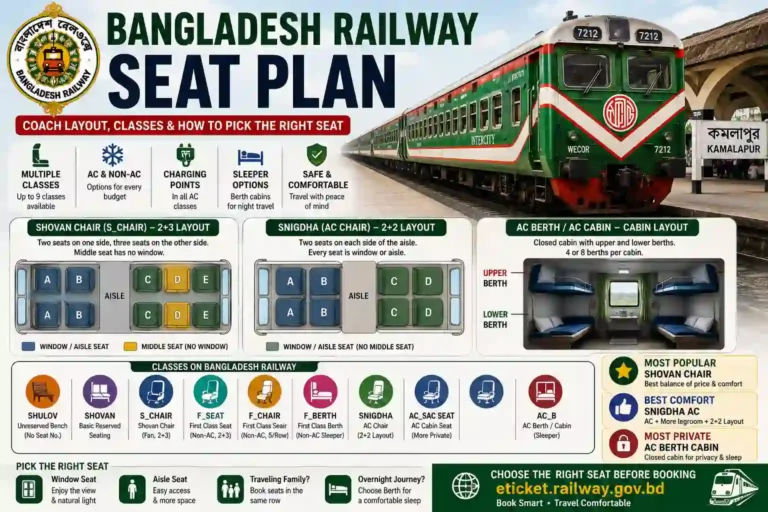
If you need to understand your coach and seat details before travelling, our Bangladesh Railway Seat Plan guide explains how to find your assigned seat.
Method 2 — Official Ticket Verification Tool
If someone has shared a ticket with you, or you want to confirm a ticket’s authenticity without logging into the account that booked it, Bangladesh Railway provides a dedicated verification page at eticket.railway.gov.bd/verify-ticket. Entering the ticket details there confirms whether it is a genuine, currently valid booking issued by the official system — useful for checking second-hand tickets, group bookings made by someone else, or simply double-checking before a long journey.
If you cannot access your account, the official verification page provides another reliable way to complete a Bangladesh Railway PNR Status Check and confirm that the ticket is genuine.
Common Situations and What to Do
If you cannot find your ticket or are unsure whether your reservation was completed successfully, a Bangladesh Railway PNR Status Check can help you confirm the latest booking details. In most cases, logging into your account and reviewing your Purchase History is enough to verify the status of your journey.
If There Is a Genuine Problem With Your Booking
After completing a Bangladesh Railway PNR Status Check, you may occasionally notice an issue such as a failed booking, missing ticket, or payment mismatch. If that happens, it is important to contact Bangladesh Railway support as soon as possible and provide your booking details for investigation.
Checking your booking status is straightforward when everything has gone correctly. When something looks wrong — a double charge, a ticket that should be confirmed but shows as failed, or a discrepancy between what you paid and what the ticket shows — Bangladesh Railway has a specific, time-limited process for raising it.
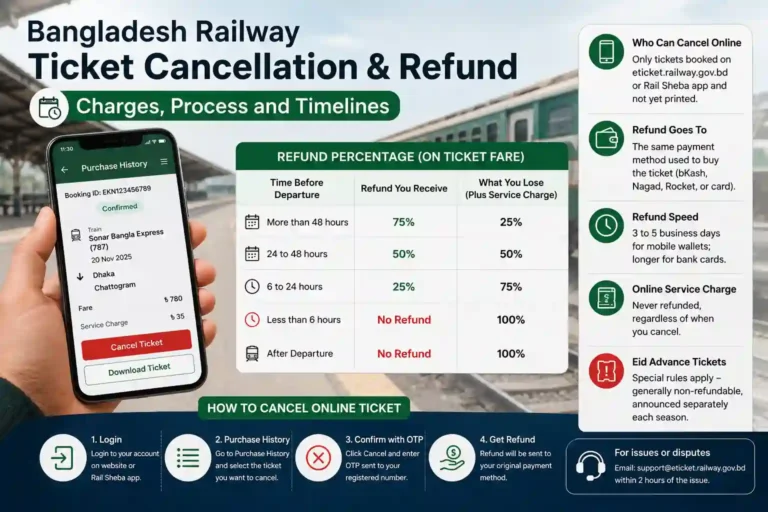
| Reporting a Booking Problem — The 2-Hour Window For any concern with a ticket bought through the e-ticket website or the Rail Sheba app, you are expected to notify Bangladesh Railway within 2 hours of the issue by emailing [email protected] with your e-ticket details attached. This short window is specific to online bookings — issues with tickets bought at a station counter, or problems experienced on board, go through the train guard instead and are handled under separate railway regulations. |
Bangladesh Railway PNR Status Check: Frequently Asked Questions
| Q: Does Bangladesh Railway have a PNR status check like Indian Railways? A: Not in the same form. Your e-ticket does carry a reference number that staff sometimes call a PNR, but there is no standalone public website where you enter that number for an instant status the way Indian Railways works. The reference is tied to your account and only meaningfully visible after logging into your purchase history on eticket.railway.gov.bd or the Rail Sheba app. |
| Q: Where can I check my Bangladesh Railway booking status? A: Log into your account at eticket.railway.gov.bd or the Rail Sheba app and open Purchase History or My Tickets. Every booking made on that account is listed with its current status, journey details, and a downloadable e-ticket copy. |
| Q: How do I verify if a Bangladesh Railway ticket is genuine? A: Use the official ticket verification page at eticket.railway.gov.bd/verify-ticket. This confirms whether a specific ticket is a valid, currently issued booking — useful if you received a ticket from someone else or want to double-check before travelling. |
| Q: I paid but did not get a confirmation message — what do I do? A: Check your purchase history after logging in first, since the booking is frequently there even if the SMS or email confirmation was delayed. If the booking genuinely does not appear and money was deducted, the amount is automatically refunded by your bank or mobile financial service provider within roughly 8 business days. |
| Q: Can I check my Rail Sheba app booking on the website instead? A: Yes. The Rail Sheba app and the eticket.railway.gov.bd website share the same account system. Logging into either with your registered mobile number and password shows the same purchase history regardless of which platform you originally booked on. |
| Q: What should I do if I find an app asking for a PNR number for Bangladesh Railway? A: Treat it with suspicion. Since Bangladesh Railway does not use a separate PNR system, an app or website built around entering a PNR number for this network is either based on a misunderstanding or is an unofficial tool that should not be trusted with your booking or personal details. |
| Q: Is the Bangladesh Railway PNR Status Check free? A: Yes. You can check your booking status through your Bangladesh Railway account or verify your ticket using the official verification page without paying any additional fee. |
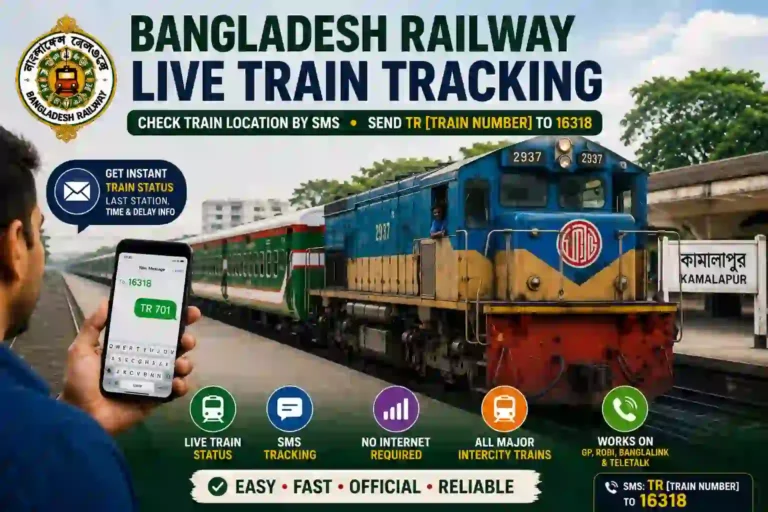
After confirming your booking, you can also use our Bangladesh Railway Live Train Tracking guide to check your train’s real-time running status before leaving for the station.
Knowing Your Ticket Is Real Before You Travel
The absence of a public PNR checker is not a gap in Bangladesh Railway’s setup — it is simply a different design, with your account login doing the job a standalone PNR lookup would do elsewhere. The practical takeaway is the same regardless of terminology: before you head to the station, log into your purchase history or run the ticket through the official verification page, and you will know with certainty that your booking is confirmed and genuine.
Check your bookings at eticket.railway.gov.bd or the Rail Sheba app under Purchase History. To verify a specific ticket’s authenticity, use eticket.railway.gov.bd/verify-ticket.
Using the official Bangladesh Railway PNR Status Check method is the safest way to confirm your booking and avoid relying on unofficial websites or apps.