Bangladesh Railway Ticket Cancellation and Refund — Charges, Process and Timelines
Plans change, and when they do, the question is rarely whether you can cancel a Bangladesh Railway ticket — it is how much of your money you actually get back. The answer depends almost entirely on timing: cancel early and you keep most of your fare, cancel close to departure and you lose progressively more of it. This guide walks through the exact percentages, how to actually submit a cancellation, and the handful of situations — printed tickets, Eid bookings, train cancellations by the railway itself — that work differently from the standard rule.
Understanding the Bangladesh Railway Ticket Cancellation and Refund process before booking can save you both time and money. Knowing the refund rules in advance helps you make better travel decisions if your plans change unexpectedly.
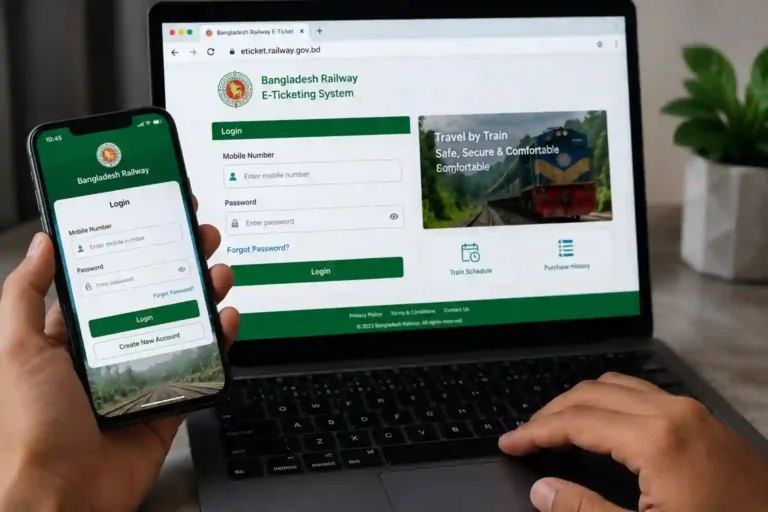
Before booking a ticket, make sure you can access your account. If you have trouble signing in, read our Bangladesh Railway eTicket Login guide to learn how to log in through the official website or the Rail Sheba app.
| Bangladesh Railway Ticket Cancellation and Refund – Quick Facts Who Can Cancel Online: Only tickets booked on eticket.railway.gov.bd or the Rail Sheba app, and not yet printed at a counter Refund Goes To: The same payment method used to buy the ticket — bKash, Nagad, Rocket, or card Refund Speed: 3 to 5 business days for mobile wallets; longer for bank cards Online Service Charge: Never refunded, regardless of when you cancel Eid Advance Tickets: Special rules apply — generally non-refundable, announced separately each season |
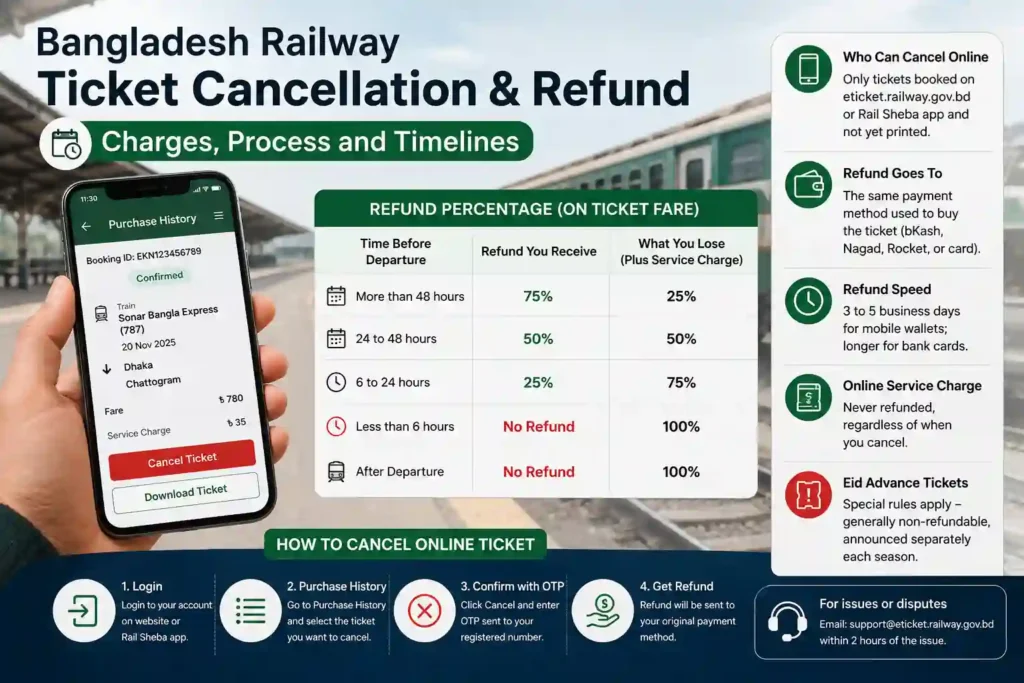
How Much You Get Back — The Refund Percentage Table
The Bangladesh Railway Ticket Cancellation and Refund policy is based on how early you cancel your journey. The earlier you cancel, the higher your refund amount will usually be.
The core rule is time-based: the closer you cancel to your departure, the smaller the refund. This applies to the base ticket fare only — the online service charge paid at booking is not refunded under any circumstance, even if you cancel within minutes of paying.
| Time Before Departure | Refund You Receive | What You Lose |
| More than 48 hours | 75% of the ticket fare | 25% plus the service charge |
| 24 to 48 hours | 50% of the ticket fare | 50% plus the service charge |
| 6 to 24 hours | 25% of the ticket fare | 75% plus the service charge |
| Less than 6 hours | No refund | The entire fare and service charge |
| After the train departs | No refund | The entire fare and service charge |
| A note on cutoff windows: Some sources describe a flat 12-hour cutoff for online cancellation rather than the tiered structure above. Bangladesh Railway’s policy has been adjusted more than once in recent years, and the exact cutoff can shift, particularly around peak travel periods. The safest approach is to attempt the cancellation as early as possible — refund percentages only go down as departure approaches, never up — and to treat the table above as the standard reference rather than a guarantee that holds in every circumstance. |
How to Complete Bangladesh Railway Ticket Cancellation and Refund Online
If your ticket was booked through eticket.railway.gov.bd or the Rail Sheba app and has not been printed at a station counter, the entire cancellation can be done from your phone or computer without visiting a station:
Step 1
Log into your account Go to Official site or open the Rail Sheba app and sign in with your registered mobile number and password.
Step 2
Open Purchase History Find the ticket you want to cancel in your purchase history. Each booking shows the journey details and a Cancel option if it is still eligible.
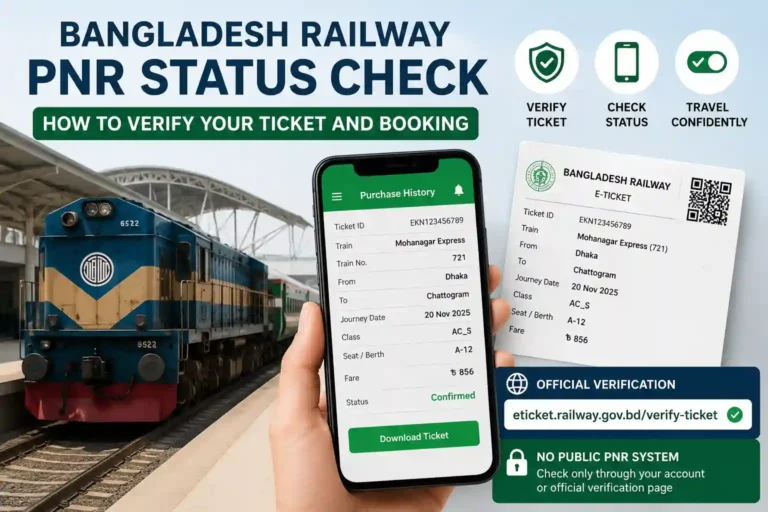
If you want to double-check that your booking is still active before cancelling it, our Bangladesh Railway PNR Status Check guide explains how to verify your ticket and booking status online.
Step 3
Confirm with the OTP Click Cancel and an OTP will be sent to your registered mobile number. Enter it to confirm. The moment you confirm, your seat is released back into the system for other passengers to book.
Step 4
Wait for the refund The refund is calculated automatically based on how far ahead of departure you cancelled, and sent to the same bKash, Nagad, Rocket, or card account used for payment — typically within 3 to 5 business days for mobile wallets.
Cancelling a Ticket Bought at a Station Counter
Counter-purchased tickets cannot be cancelled through the website or app — they need to be physically returned at the station. The process is straightforward but requires you to be present in person:
- Bring the original physical ticket — not a photo of it — along with a valid National ID for verification.
- Find the refund or booking desk at the station and hand over both documents.
- Staff calculate the deduction using the same time-based percentages as the online system and return the remaining amount in cash on the spot.
- Unlike the online process, there is no waiting period at the counter — you walk away with cash immediately, assuming you are within the eligible window.
The Printed Ticket Trap
This catches a fair number of people off guard. If you booked your ticket online but then had it printed at a station counter before your journey — something many passengers do simply to have a physical copy — that ticket loses its eligibility for the online process. The system treats a printed e-ticket exactly the same as a counter-purchased one from that point forward. To cancel it, you now have to go to a station counter in person, even though the original booking was entirely online.
The practical lesson: if there is any real chance you might need to cancel, hold off on printing your e-ticket at a counter until you are certain you are travelling. Keeping it digital on your phone or as an unprinted PDF preserves your ability to cancel it from home in two minutes rather than needing a station visit.
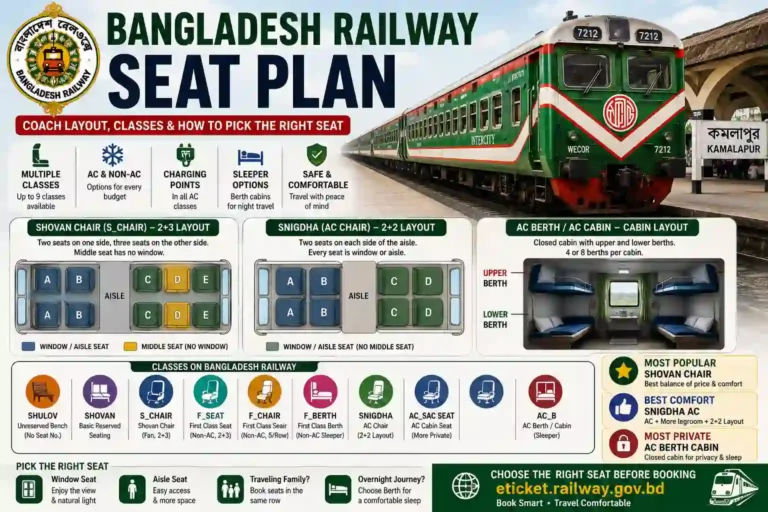
If you are unsure about your coach or seat before deciding whether to travel, our Bangladesh Railway Seat Plan guide explains how to understand your seat allocation and coach layout.
Special Cases — When the Standard Rules Do Not Apply
Although the standard Bangladesh Railway Ticket Cancellation and Refund policy applies in most situations, there are a few exceptions where different rules apply, such as train cancellations by Bangladesh Railway or special Eid ticket sales.
If Bangladesh Railway Cancels or Delays Your Train
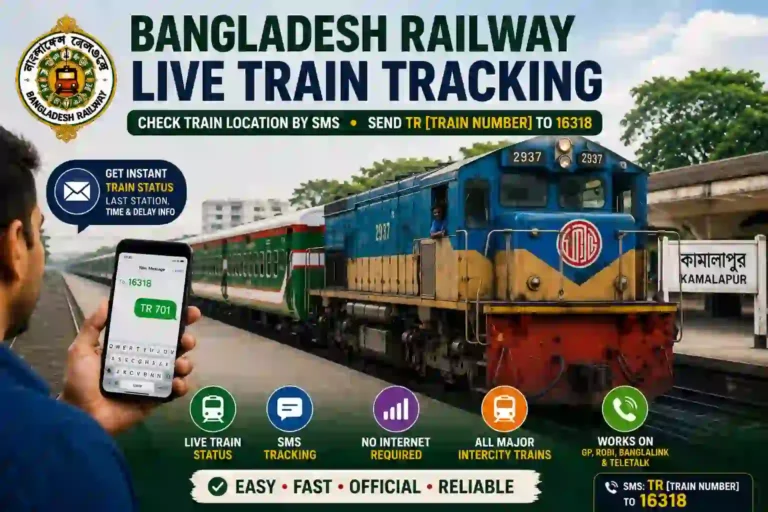
Before leaving for the station after your refund request or rescheduled journey, you can check our Bangladesh Railway Live Train Tracking guide to see your train’s latest running status.
If the railway itself cancels your train, or delays it by more than 3 hours, you are entitled to a full refund regardless of how close to departure this happens. This is the one situation where the time-based percentage table does not apply — you get everything back, not a fraction of it. Request the refund through the same channel you used to book — online if you booked online, at the counter if you bought there.
Eid and Festival Advance Tickets
Every year when Bangladesh Railway opens special advance ticket sales ahead of Eid, the terms are announced separately and are typically far stricter than the regular policy. Getting money back on these tickets is generally not possible at all, reflecting the extremely high demand and the railway’s effort to discourage speculative or duplicate bookings during the festival period. Always read the specific terms shown at the time of an Eid booking — do not assume the standard refund table above applies.
Return Journey Tickets
Some return-journey ticket types, particularly those bundled with advance or festival sales, are explicitly marked as non-cancellable and non-refundable at the time of booking. If you see this condition stated on the booking page before you pay, it is binding — there is no separate appeal process for these specific ticket categories.
If Something Goes Wrong With Your Refund
Occasionally a cancellation or payment does not behave the way it should — money deducted without a confirmed booking, or a refund that has not arrived after the expected window. Here is what actually happens in each case:
Bangladesh Railway Ticket Cancellation and Refund FAQs
| Q1: How much refund do I get if I cancel my Bangladesh Railway ticket? A: It depends on timing: 75% back if you cancel more than 48 hours before departure, 50% between 24 and 48 hours, 25% between 6 and 24 hours, and no refund within 6 hours of departure or after the train leaves. The online service charge is never refunded. |
| Q2: Can I cancel my Bangladesh Railway ticket online? A: Yes, if it was booked through eticket.railway.gov.bd or the Rail Sheba app and has not been printed at a station counter. Log in, open Purchase History, select Cancel on the ticket, and confirm with the OTP sent to your registered mobile number. |
| Q3: How long does a Bangladesh Railway refund take? A: Refunds to mobile wallets like bKash, Nagad, or Rocket typically arrive within 3 to 5 business days. Refunds to bank cards can take longer, depending on your card issuer’s own processing time. |
| Q4: Can I cancel a printed ticket online? A: No. If your online ticket was printed at a station counter before your journey, it loses online cancellation eligibility and is treated the same as a counter-purchased ticket — it can only be cancelled and refunded in person at a station. |
| Q5: What happens if Bangladesh Railway cancels my train? A: You are entitled to a full refund regardless of how close to departure the cancellation happens. This is the one case where the standard percentage-based refund rule does not apply. The same applies if the train is delayed by more than 3 hours. |
| Q6: Can I get a refund on Eid advance tickets? A: Generally no. Eid and festival advance tickets follow separate, stricter terms announced at the time of that specific sale, and are typically non-refundable. Always check the conditions shown on the booking page before paying for an Eid advance ticket. |
The Earlier You Cancel, the More You Keep
The Bangladesh Railway Ticket Cancellation and Refund process is simple when you understand the rules and complete your cancellation within the eligible time.
There is really one piece of advice that covers most situations here: if you know a journey is off, cancel the moment you know rather than waiting. Every hour closer to departure costs you a larger share of the fare, and the digital process takes about two minutes from your phone. The exceptions worth remembering are the printed-ticket trap, which forces a station visit even for an originally online booking, and the special Eid and return-journey rules that override the standard table entirely.
Cancel your ticket through Purchase History at eticket.railway.gov.bd or the Rail Sheba app. For disputes, email [email protected] within 2 hours of the issue.
For more Bangladesh Railway travel guides, train schedules, popular routes, ticket booking help, and other useful resources, visit our Bangladesh Railway home page.